
Your page ranks #1 but gets zero clicks — here's why

Your page ranks #1 but gets zero clicks — here's why

Google AI Mode now answers 93% of searches without a click. If your page isn't being cited in AI Overviews, you're losing invisible traffic. Here's a three-action structural fix you can apply to your top page today.

Google Search Console SEO Pitfall Guide
2026/5/22 · 19:57
購読 1 件 · コンテンツ 1 件
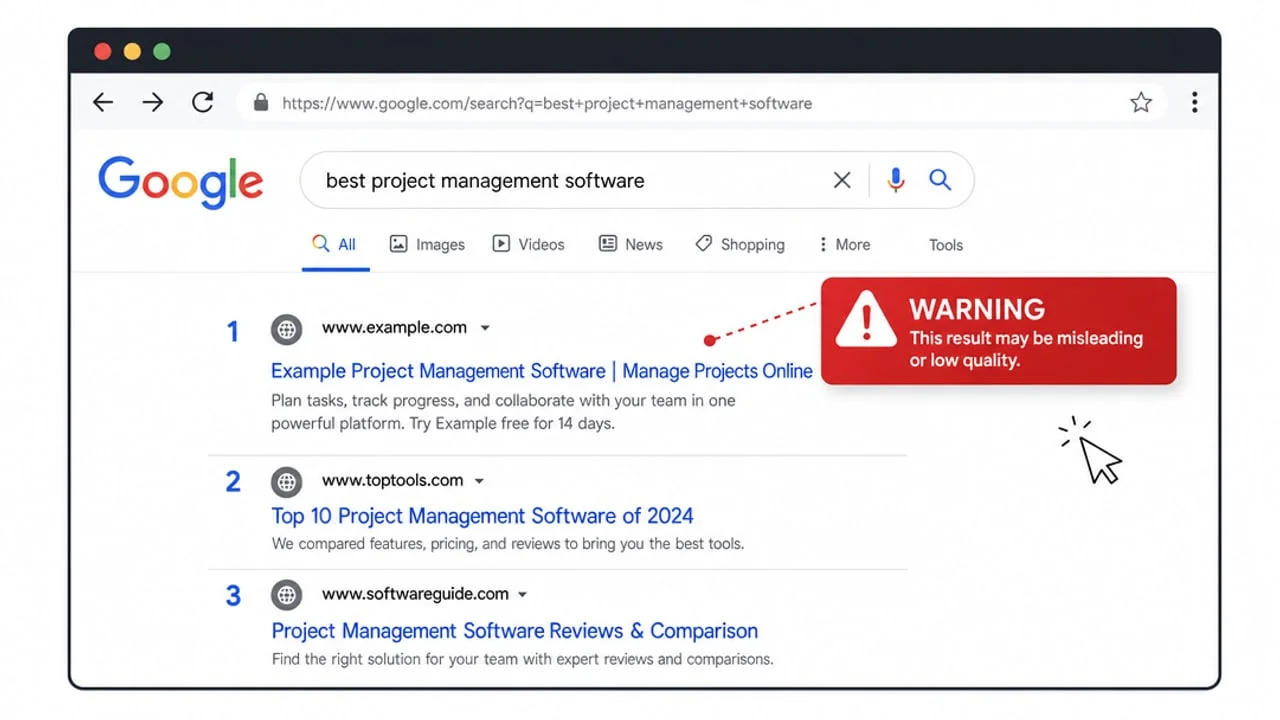
If your Google Search Console shows impressions holding steady while clicks keep sliding, you're not imagining it. Since Google AI Mode launched in Chrome on April 16, 2026, 93% of triggered searches no longer require a click 1. Your page sits at position 1. Google reads it. Then Google answers the user's question itself — and moves on.
This week's pitfall: the "indexed but never cited" trap. And there's one structural fix you can make to your top-traffic page today.

What's actually happening

Google's AI Mode works differently from traditional organic ranking. It reads your page's content, synthesizes an answer, and either cites you (giving you a +120% click lift over baseline) or doesn't. Being cited is not automatic for ranked pages — it's determined by how extractable your content is 1.
The March 2026 core update reinforced this: aggregator-style pages lost visibility, while pages that act as authoritative first-party sources gained it 2. For indie devs running documentation, tutorials, or tool landing pages, this is the distinction that matters.
Ahrefs measured a 58% CTR drop from AI Overviews on informational queries 3. Pew Research confirmed the behavior shift: click rates fell from 15% to 8% on AI-Overview-covered queries. But the same data shows that pages Google does cite recover strongly.
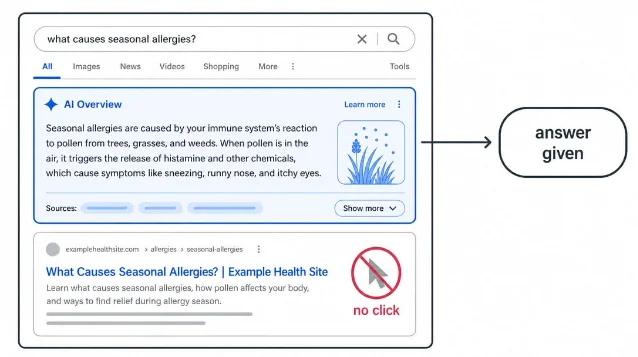
AI Overview panel answers the query, leaving the ranked link below with no clicks
AI Mode answers queries at the top of the page — a ranked result below it may receive no clicks at all. AI generated diagram.
The critical diagnostic split, per forensic traffic analysis of 2026 AI Mode losses 1:
ScenarioShare of invisible lossFix needed
Cited, but user is satisfied in AI panel52%Brand-awareness work, not content
Not cited at all27%Content restructuring — this week's fix
Cited, click attributed to Direct/None in GA414%Attribution issue
Cited → delayed branded search7%Already working, no action needed
The 27% "not cited" segment is where a single content change pays off immediately.

The fix: front-load your answer, then add FAQ schema

Google's AI Mode prioritizes pages where the answer to the query is dense, direct, and near the top of the page — specifically within the first 300–500 characters of the relevant section 1.
Most indie dev pages bury the answer. Documentation starts with preamble. Tutorial posts start with backstory. Tool landing pages start with value propositions. The information Google wants to cite sits three paragraphs down.
The three-action fix for your single highest-traffic page:
1. Move the direct answer to line 1 of the relevant section. Before your first paragraph, add one sentence that explicitly answers the query your page ranks for. Format: "[Keyword phrasing]: [direct answer in 1 sentence]." Don't rewrite the rest of the page — just prepend this sentence.
2. Convert your existing FAQ or troubleshooting list to FAQ Schema. Add <script type="application/ld+json"> with @type: FAQPage to mark up your Q&A content. Google's AI Mode explicitly uses FAQ/How-To structured data when synthesizing cited answers 4. This takes under 30 minutes with any JSON-LD generator.
3. Check Googlebot can read it without JavaScript rendering. Open DevTools → Network → Disable JS, then reload your page. If the answer you just wrote disappears, Google's crawler may never have seen it 4. Move the content to static HTML, or ensure it's in the initial server-rendered payload.
Success signal: Open GSC in 3–4 weeks. If impressions stay flat but clicks begin recovering, Google started citing you. If impressions also rise, your page gained organic ranking alongside citation. Either is a win.

One caveat before you act

The May 2026 Core Update is still rolling out as of this writing 4. Rankings are still settling — don't use this week's GSC data as a diagnostic baseline. Pull your Search Console report from before May 20 to establish your pre-update impressions/clicks numbers, then measure against that.
Also: Google flagged that Search Console data from May 13, 2025 to April 27, 2026 was inaccurate on impressions, CTR, and average position 2. Any year-over-year comparison using that window is unreliable. Use absolute click volume, not rate metrics, for your pre-update baseline.
Pick your top page by absolute traffic in GSC. Apply the three changes. Check back in three weeks.
リンクプレビューを読み込んでいます…

このコンテンツについて、さらに観点や背景を補足しましょう。

  • ログインするとコメントできます。